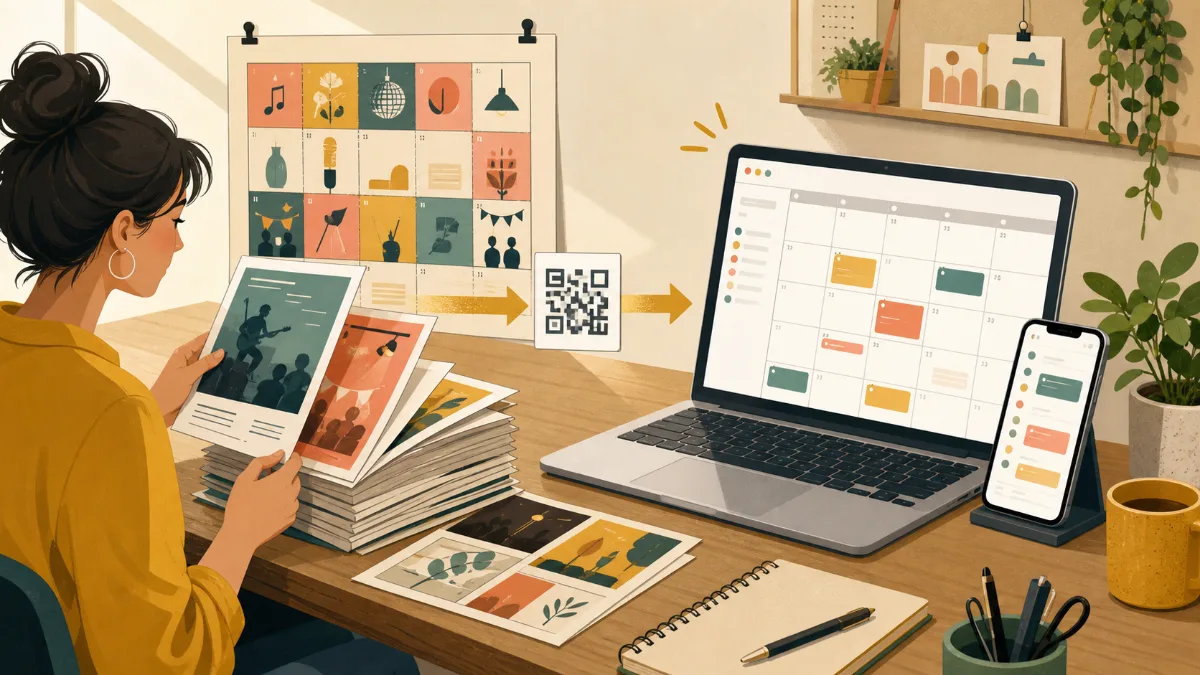
Printed calendars, flyers, and monthly schedule graphics can be useful for promotion. The problem begins when an event changes. Once a flyer has been handed out or an image has been reposted, you cannot update every copy.
An online calendar gives your schedule a live home. You can keep using printed material and graphics, but direct people to the calendar for current dates, full details, and any changes.
Benefits of moving your schedule online
- Edit dates, times, and links after publishing
- Give people one URL for the latest schedule
- Make details and registration links available on mobile
- Use a QR code on print materials to connect offline and online information
- Keep future dates available without redesigning a new image every time
Prepare your existing information
Review your flyer, poster, spreadsheet, or schedule image event by event. Confirm each title, date, time, venue, and registration link against the current source. This is a good chance to remove old items and separate confirmed dates from tentative ones.
For recurring events, decide on a consistent format. For example, always include the event type, location, start time, and ticket link in the same order. Consistency helps attendees scan your calendar and helps your team add future events accurately.
Move the schedule into a calendar
- Create a calendar named for the ongoing program or venue.
- Add confirmed events one by one.
- Include the practical details attendees need to act.
- Check the public view on a phone.
- Add the calendar URL or QR code to future print and image materials.
Write event titles so they make sense without the original poster. “Workshop” is vague; “Beginner Pottery Workshop” tells a visitor what they are considering at a glance.
Keep print and online materials working together
Keep using posters at your venue and graphics on social media. Use them to attract attention, not to hold every changing detail. Add a short line such as “See the latest schedule” with the calendar URL or QR code.
When something changes, update the online calendar first. Then post the change on social media and update new print runs. This gives anyone with an older flyer a clear path to the current information.
FAQ
Do I need to stop printing event schedules?
No. Print is still useful for in-person discovery. An online calendar makes it possible to keep the details current after a flyer leaves your hands.
What should I do with tentative events?
It is usually best to wait until dates are confirmed. If you publish a tentative event, label it clearly and make sure the calendar is updated as soon as plans change.
Summary
An online event calendar does not replace every flyer or schedule graphic. It becomes the live version behind them: the place where attendees can check the latest dates, details, and links from any device.